

Choosing the right project management tool not only helps optimize performance, but also enables your team to collaborate smoothly and stay aligned. From visual platforms like Trello to robust systems like Asana, Monday, or Smartsheet, each tool reflects a distinct design philosophy for organizing work and managing teams.
Whether you’re an individual, freelancer, small team, startup, agency, or large organization, this quick guide offers a clear overview to help you select the tool that best fits your goals and scale whether for a team, a business, or personal use.

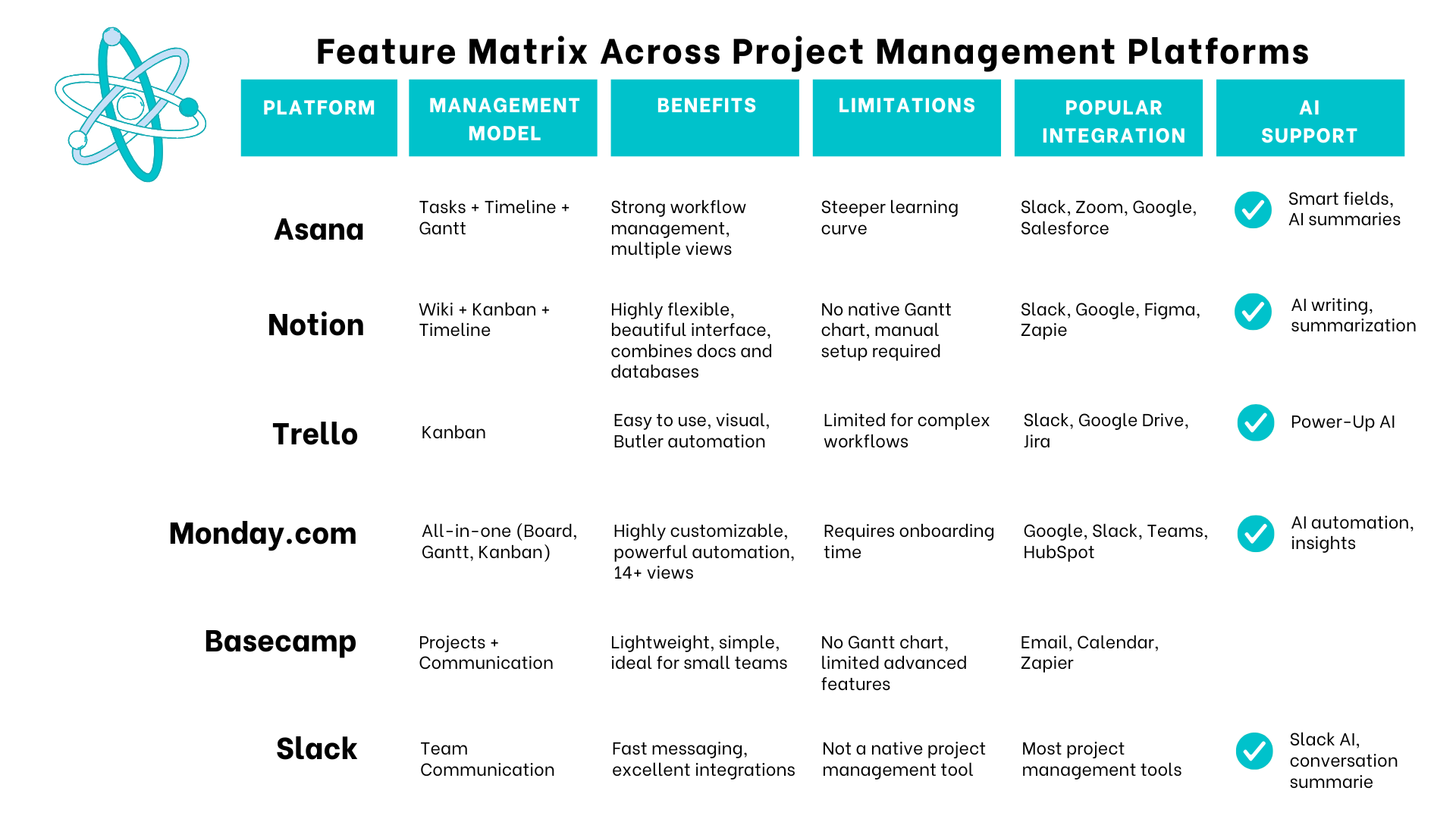
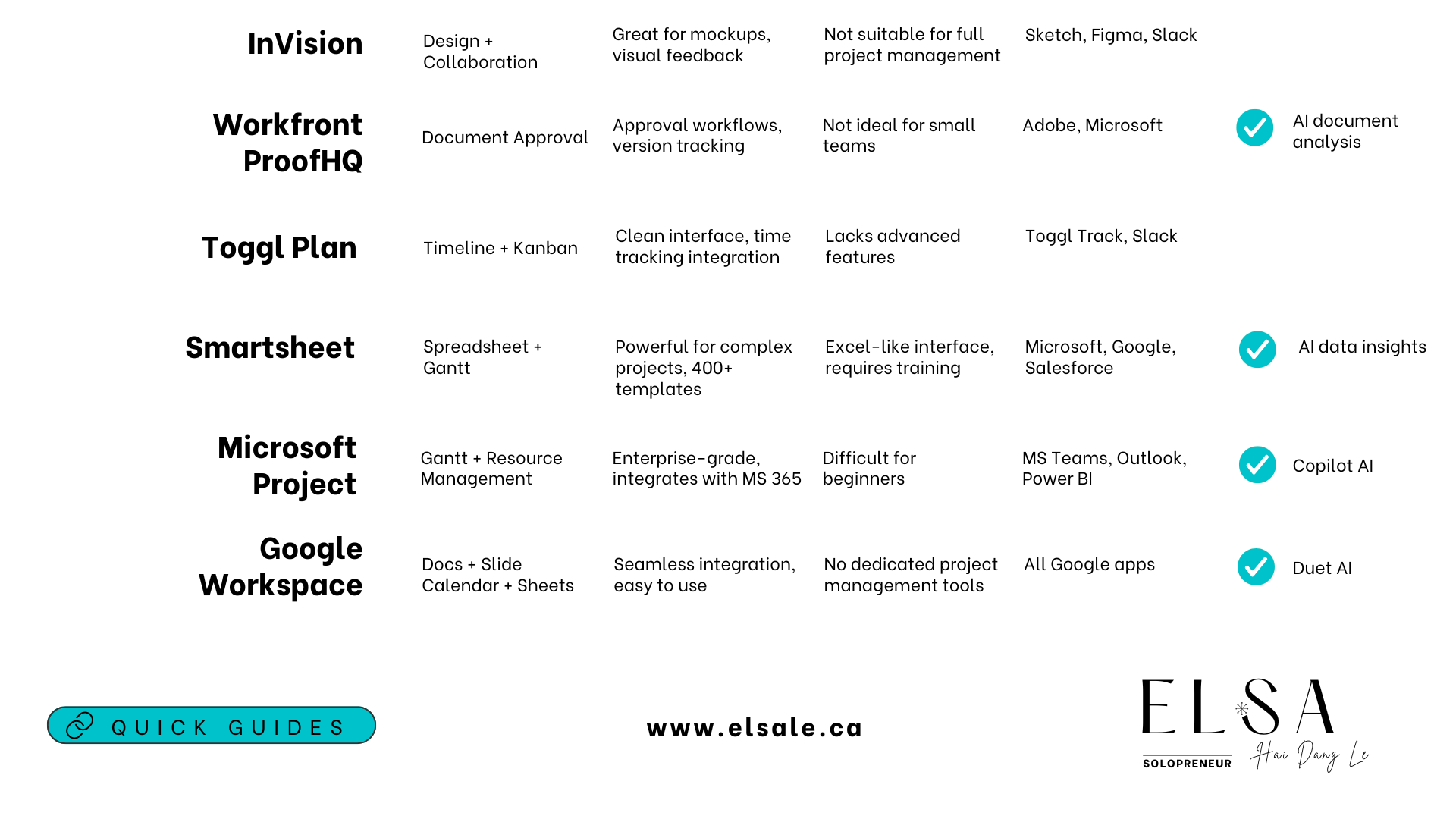
With these comparison tables, you don’t have to waste time testing every single tool. Just look at how you operate, your current scale, and specific needs to immediately eliminate platforms that don’t fit.
You’ll also quickly spot which tools offer the right integrations, AI support, and work organization that align with you. From there, select 2–3 tools that best meet your requirements, apply them to your workflow, measure, evaluate, and make your final decision.
This approach saves you a significant amount of time and helps you avoid choosing based on impulse or trends.
From Note-Taking to Project Management: Tools You Should Know
Asana – Helps teams collaborate more effectively, reduce internal emails, and improve transparency and efficiency in project management.
Notion – An all-in-one platform for note-taking, task management, planning, documentation, and team collaboration.
Trello – Enables individuals and teams to organize work visually, flexibly, and collaboratively—whether for simple tasks or complex workflows.
Monday.com – Doesn’t impose a fixed process; instead, it lets you build a workflow that fits your team best.
Basecamp – Allows you to create to-do lists, collaborate with team members, and submit work for review.
Slack – A real-time messaging app with all the essential features of email.
InVision – Facilitates team collaboration by gathering feedback and reviewing design work.
Workfront ProofHQ – Makes it easy to track comments and revisions.
Toggl Plan – Helps teams plan visually, allocate tasks efficiently, and track progress—without relying on complex tools.
Smartsheet – Enables planning, task assignment, progress tracking, and team coordination without needing multiple disconnected tools.
Microsoft Project – A robust project management software developed by Microsoft, designed for planning, resource allocation, progress tracking, and budget control.
Google Workspace – A suite of cloud-based productivity tools from Google that supports collaboration, communication, and work management for individuals and businesses (formerly G Suite).
Capabilities That Support Your Workflow
Platform Fit by Organizational Role
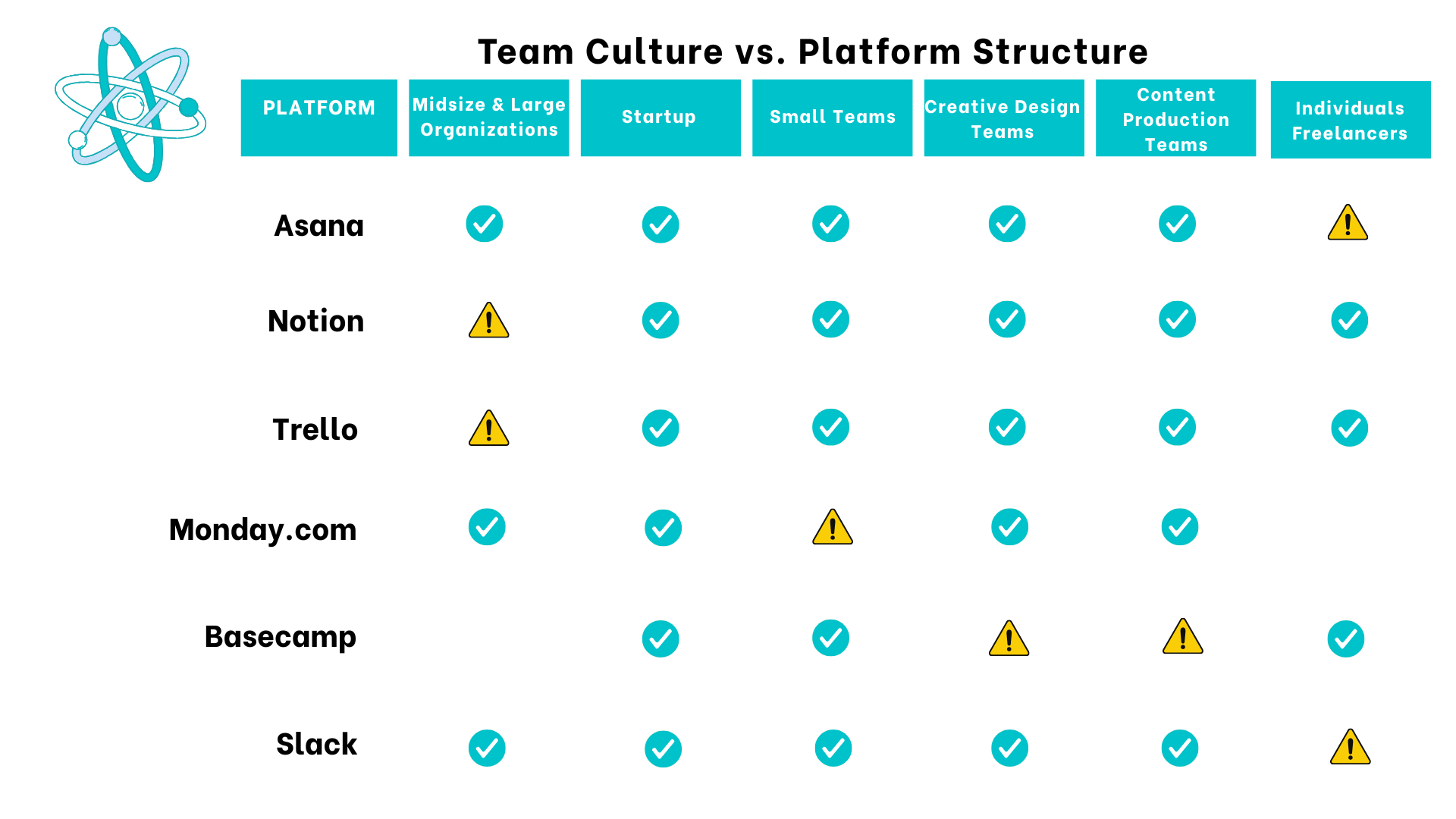
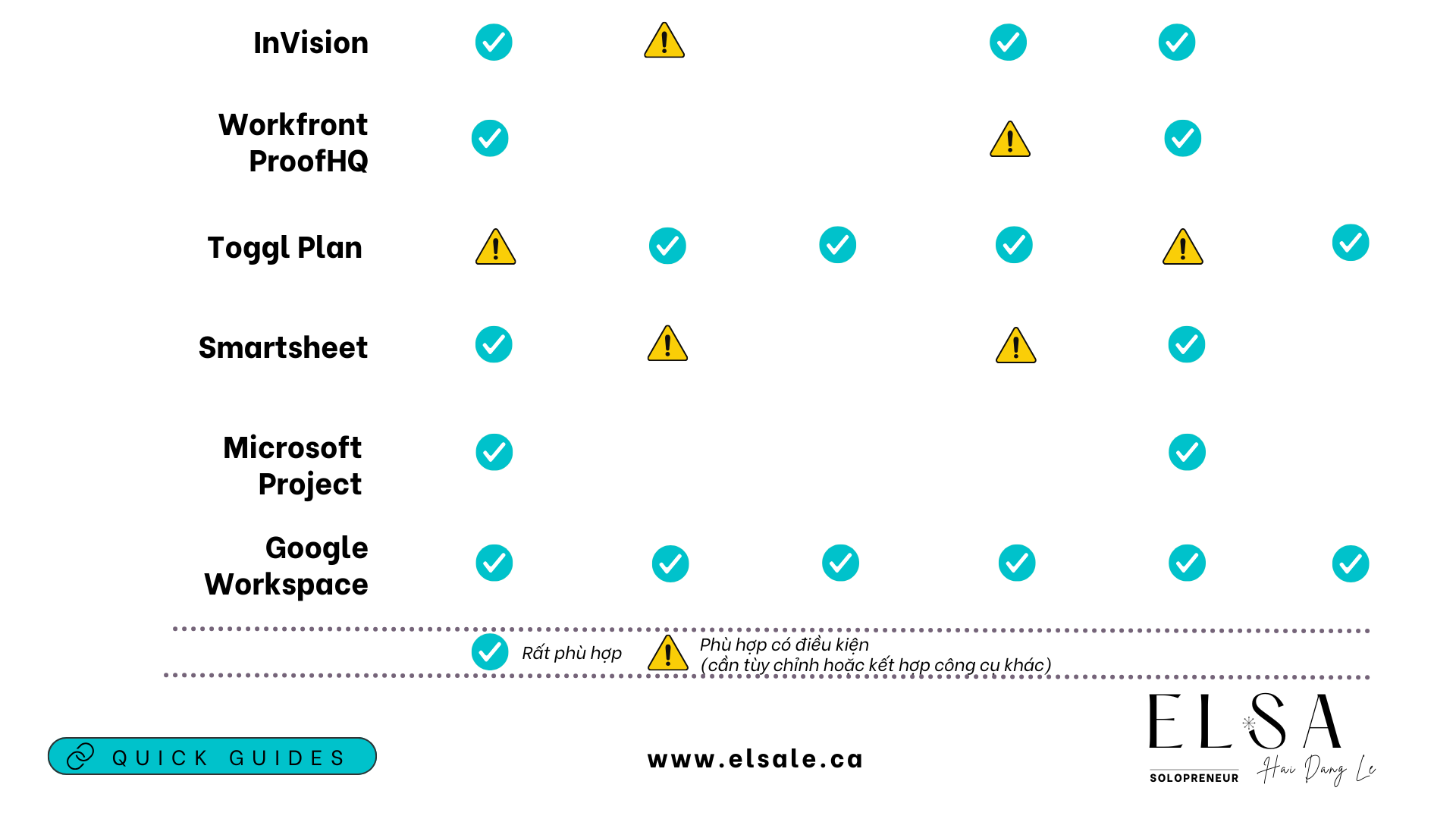
You don’t need the “best” tool. You just need the right one for how you work, the size of your team, and the goals you’re aiming for. Start with what you actually need: visual clarity, automation, resource tracking, or flexible collaboration. Then choose the platform that supports those needs. Keep it clear, keep it lean, keep it effective. That’s enough.
If you’re running campaigns, building content systems, or leading product development, choosing the right tool helps you save time, reduce errors, and keep things moving. No need to chase trends or overload on features - just pick the tool that supports the right work, with the right people, at the right time.